Category Archives: Photoshop
Ladies and Gentlemen, Mr. Scott Kelby!
You’ve surely learned by now that my Q&A with Dave Cross on Monday, and the subsequent discussion with Matt Kloskowski on Tuesday, had to mean that another one was coming, right? For those of you living under a rock for the past ten years, those two are but 2/3rds of the Photoshop Guys crew. The guy that started it all, Scott Kelby, has taken the time to sit down and chew the fat with us here, so to wrap up this series, I’d like to present, the Founder of NAPP, the CEO of Kelby Media, and Photoshop Guy – Mr. … Continue reading
Q&A With Matt Kloskowski
Picking up where we left off yesterday with Dave Cross, I’d like to welcome Matt Kloskowski to Canon Blogger and the LDP crowd. He’s taken time out of his schedule to answer a couple questions about his approach to photography, Photoshop and graphic design! Without further ado, I give you: 1. I’ve often heard that in LR post production the top-down and left-to-right approach is good, but also that setting camera profiles is a good first step, which is on the bottom right. What’s your approach? Once Adobe added the camera profiles, it messed up my whole top-down approach. So … Continue reading
Q&A With Dave Cross!!
That’s right, you read that right – I got a chance to get with none other than the Photoshop Guys and ask a few questions about Photoshop, their own projects, and tackle everything from product preferences to personal projects and activities, and even a few personal perspectives thrown in for fun! Here’s a chance to catch up on the latest with them including their podcasts and shows. So, let’s just get right down to the brass tacks here…with so much content, it’s broken into three separate posts for today through Wednesday. Getting things started is Mr. Dave Cross!!!
Photoshop is not a bad word
A lot of photography conversations revolve around the question of how much editing has been done to a picture. Terms like “sooc” (for straight out of camera) or raw, or “minimal editing” are involved. I also have been known to encourage capturing the best pictures you can in camera. But does that mean editing in post process is a bad thing? No, definitely not. For some, it has become a bad thing though, and phrases where “photoshop” has become a verb have been bandied about a lot. I’ve heard everyone from amateurs to pros say things like “We’ll just photoshop … Continue reading
Can you trust your meta data?
We all talk about tags, and flags and meta data whenever we are importing our photos into Photoshop, Lightroom, Aperture, or whatever program you use. While there are discussions ad infinitum about the value of adding extra tags to your photos like “2010″ or “Canon” or “family vacation” or whatever labels you like, there is an underlying set of “fixed” data that contains HUGE amounts of information about your picture, and that is the EXIF data.
Five Best Kept Secrets of Photoshop CS5
By now you should know all about the latest and greatest features of Photoshop CS5. People have been talking until the cows come home about Content Aware Fill, Puppet Warp, and the other “sexy” features of CS5 (and they are pretty awesome, sure). Heck, you may even know about some of the JDI (just do it) features, but there is still so much under the hood of CS5 that the gurus and pros haven’t even discussed yet. After taking some time and tinkering around inside CS5, here are five features that I am surprised are not getting more “air time”…I … Continue reading
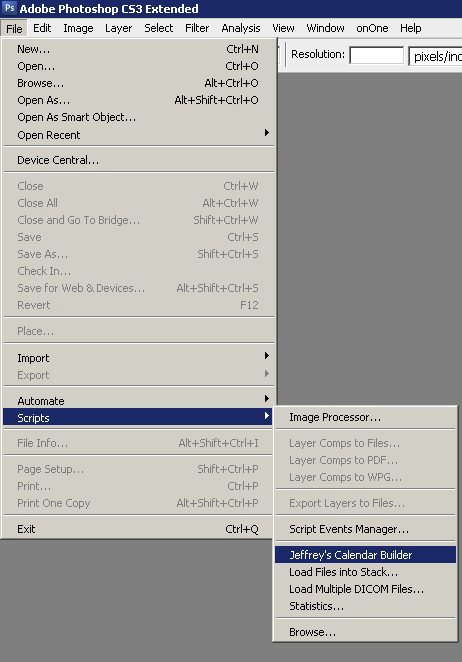
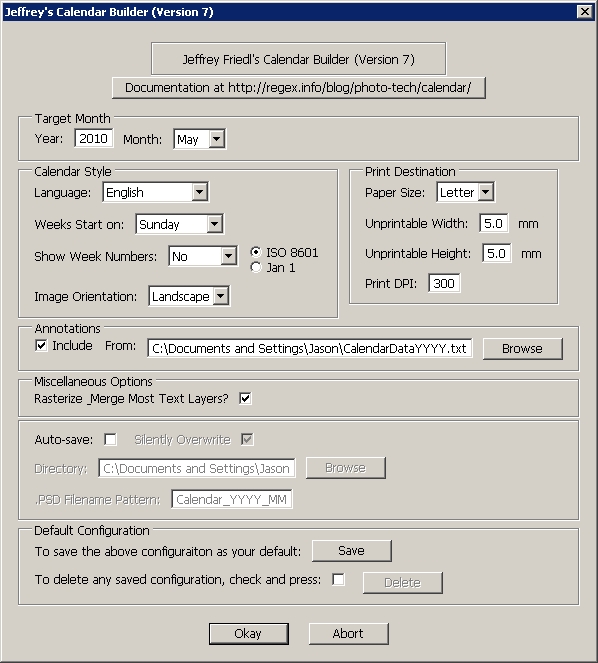
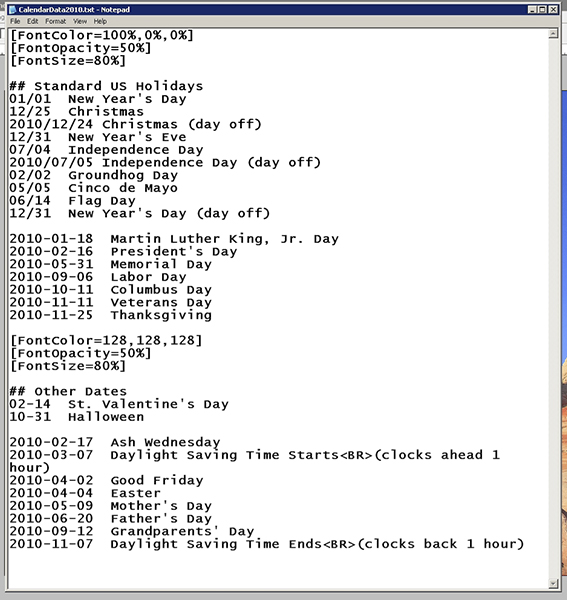
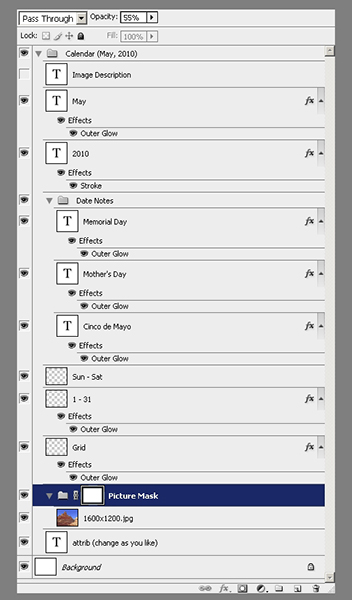
Creating a Monthly Desktop Calendar
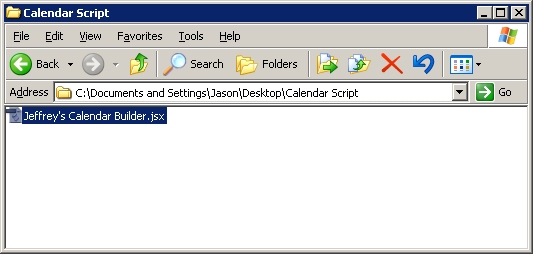
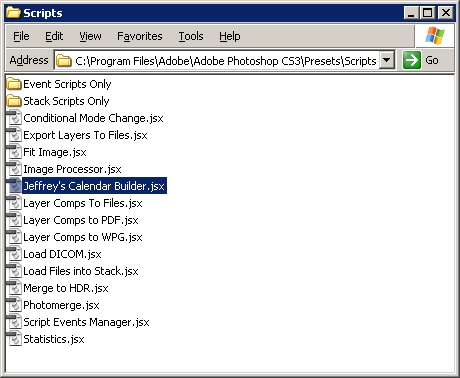
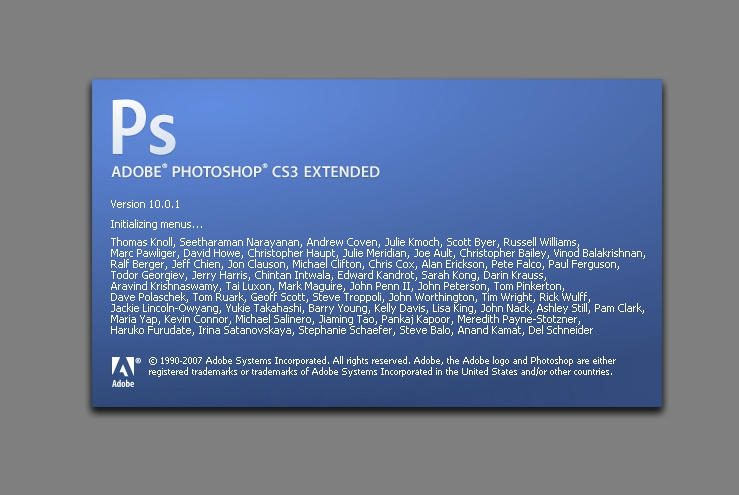
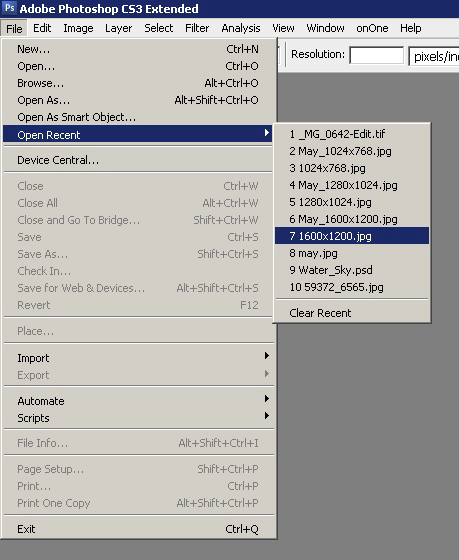
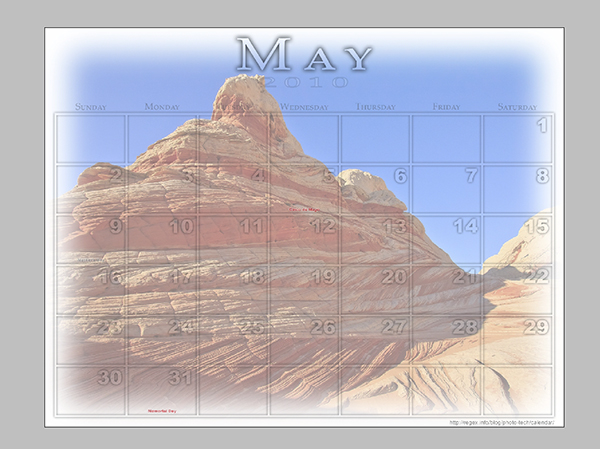
I alluded to it yesterday, and have already had several people inquire about the procedure to create this desktop calendar. It’s really quite clever, and kudos go out to Jeffrey Friedl over on his site for the script: http://regex.info/blog/photo-tech/calendar He does a decent job at the basic explanation, but since we are a visual world, here are some step-by-step instructions on how to run things from beginning to end! Fair warning – this does require Photoshop as the script (I don’t believe anyway) will run in Lightroom because it uses layers… 1. Download the script from the link above (I … Continue reading
It’s Official – CS5 has been released!
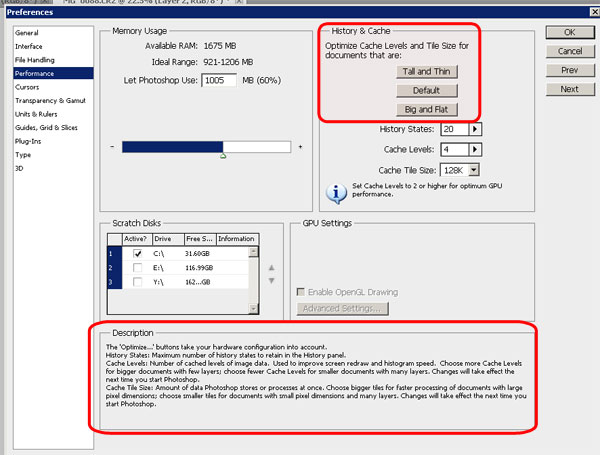
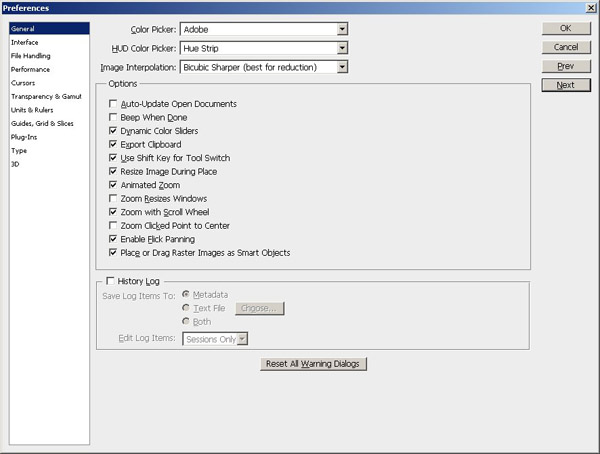
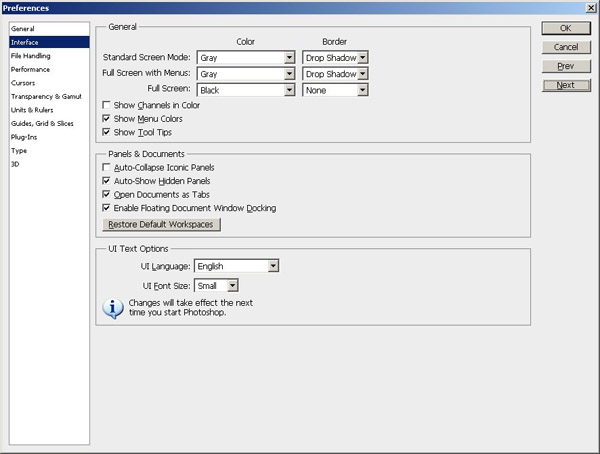
Yup, the day it became available for purchase/download, the trials also became available – a first for Adobe! I’ve already downloaded it and am starting to play with it for the first time (was not a beta tester). Suffice to say, it’s pretty slick and yes, as I said yesterday, I am getting the upgrade! Rather than show you screen shots and pore over the list of new features which has been done ad infinitum, I did a short video of some of the settings I like to adjust on an initial install. So, here is that video straight from … Continue reading
Accidentally interesting
Last night I was working on a deadline for the PhotographyBB March Magazine issue (check for that to come out shortly – another couple weeks), and found myself trolling through my archives of images searching for examples to help illustrate my point. I came across a shoot I did solo a while back where I was down in South Carolina. I was on a dock trying to catch the fading sun to the west, and catching your stereotypical sunsets in SC isn’t easy because there’s too much LAND in the way…not enough water! This was actually where I first learned … Continue reading
Ammo in the armaments
Last night the DALPUG (Denver Area Lightroom Users Group) had their bi-monthly meeting and host Brian Reyman walked us through some of the features of the Lightroom 3 Beta. It was a gret seminar and offered an opportunity for many to get an idea of what to expect. I had not realized that there are many work flow options out there because when queried, the audience responded with quite the variety of software approaches. We didn’t officially count votes, but it seemed roughly along these lines: 40% Lightroom 2 40% Photoshop CS (no query here on version #) 10% Aperture … Continue reading
Borders and Logos, it’s Photoshop, Oh My!
That’s right, we’re back to a photoshop tip again on the blog, and this one comes courtesy of question I read in the NAPP community forums. The person there had asked about pricing on some photography for a large company’s set of employee photos and his concern was about the post production time in creating the border and logo that the company wanted on each. The community quickly sprung to action, pointing him in several directions, and it occurred to me that I had never done this sort of tutorial before! It’s not too difficult but there are some pitfalls … Continue reading
Against my better judgement…
For those of you that have been following the blog for a long time (and let me know who you are, because I want to ask why!), you may recall that I used to put out video tutorials on how to do various things inside of Photoshop. After plodding around with that for a while, I came across the gurus of NAPP and realized that several were already doing it, and doing it much better than I ever could. So, rather than re-inventing the wheel, I abandoned the video tutorials in favor of just sharing my “wisdom” in the form … Continue reading
Photoshop Teaser…
The Denver Area Lightroom Users Group (DALPUG) had their bi-monthly meeting tonight, and it was a lot of fun. Brian Reyman (the leader) gave some great insights on digital asset management and some really cool Lightroom and Photoshop tips and tricks. He reminded me that it’s been a while since I’ve played in Photoshop, or done tutorials here on the blog for that matter. So, in the interests of putting some sort of creative graphic design effect together, I started playing around in Photoshop when I got home with a few different tools, effects, and all that fun stuff. When … Continue reading
I’m dreaming of an HDR Christmas
Last night I got the bug to try something I’d seen before – the classic Christmas-y look with a score of music and a shallow depth of field. It was straightforward enough and after putting a piece of sheet music on the piano, and trying it that way, wasn’t getting the drop off in depth-of -field as I had hoped for. So, I took a different approach and put the music sheet flat on a table, knowing the dof would drop off that way, with the foreground out of focus and receding off in the background too. So, the second … Continue reading
DALPUG
No, this isn’t spam, the blog has not been hacked, and I am not speaking in tongues here. DALPUG refers to the Denver Adobe Lightroom & Photoshop Users Group. Started relatively recently by a guy I know named Brian Reyman, it’s a great local resource for photographers to not only learn from one another, but also to network and get an opportunity to see some of the latest developments in the industry. I had a chance to attend the meeting last night, and the mini-workshop that Brian ran on plugins included quick looks at things like OnOne Software, Topaz Labs, … Continue reading
Software Review: Noise Ninja
With the October Contest underway where the winner will walk away with a fully licensed copy of Noise Ninja, courtesy of the folks at PictureCode, today is a great day to give everyone an idea of what makes this program one of the industry leaders. Since I have talked about the presence of noise in your images before (read that post here), re-hashing the principles of what introduces noise and the artistic benefits and image quality downsides of it in your images isn’t really needed. Instead, here I will simply share some of the interface, and a few before and … Continue reading
Got an App for That?
Since the next hardware review item as not arrived yet, today’s post is something of a blog announcement about a new feature I’ll be rolling out here shortly. As you can tell from the title, it’s about applications on the iTunes store. For users of the iPhone and iTouch, applications can be pretty handy tools (and diversionary too if you’re not careful!) Well, as you may recall, a while back during the “Comment Contest” I asked people to contribute their favorite iPhone/iPod photography-related applications. While the iTouch has not been fully capable of testing each of these, I’ve tried most … Continue reading
Cabo Creativity
Last week’s first ever 5-day series of written work “The Five Elements of Control” featured 5 distinct ways in which you can control and increase the impact of your work. Those elements were through controlling for luminance, color, geometry, context, and composition. Hopefully, the perspective can be one many will find useful in elevating their own work. In taking the task to heart, today (my first day back after a week-long break in beautiful Cabo San Lucas), I am sharing a slideshow of some of my favorite recent shots. So, rather than suggesting others incorporate these techniques, I am trying … Continue reading
The Topaz Labs Plugins: Details
Another exciting plugin from the folks over at Topaz is the Details plugin. This smart little plugin is, well…not so little. A simple click from the Filters Menu chugs at your processing speed for a good while as it scans, reads, and takes your image through several unique variations of detail adjustments. With 12 variations in this single plugin, you can take your image from bland to beautiful in just five minutes or so (depending on computer specs)! Check this out. I took a sunset picture from here in Colorado a few months ago, and ran it through the entire … Continue reading
Topaz Laps: Software Suite Review
So, as everyone is likely already aware, Topaz Labs approached me recently to sponsor a giveaway and generously donated their entire suite for some lucky listener/reader. As is always the case, I like to say “thanks” in my own small way by giving the vendor some “air time” on the blog with a personalized review of whatever it is they are contributing. In the case of the Topaz Suite – boy did I bite off more than I could chew! The Topaz Labs package consists of 7 different Photoshop plugins with somewhat descriptive names for each plugin package, ranging between: … Continue reading
How I shot Lightning!
Today the post is going to revolve more around a set of photos I took the other day – you see while en route back to the house, I noticed that the clouds were passing over the mountains and the sun was starting to set. It had the makings for a really nice sunset. Never one to turn away the opportunity to capture a sunset, I hurried home and gathered my gear, and took off to my favorite spot near the house for landscape work. Well, the clouds and the sun didn’t really cooperate so I gave up on that … Continue reading
Mask Pro 4.1
Okay, I know the folks from onOne have been very generous with their contribution of a copy of the OnOne Plugin Suite for the latest giveaway here at Canon Blogger/Learning Digital Photography, but I have to say that I am literally blown away by this offer even more. As I delve into each tool more and more, I am totally amazed at the functionality and how easily it really makes things. For those of you that watch Photoshop User TV, you’ve seen what I’ve seen – ads from OnOne claiming that masking is made so super easy that you can … Continue reading
Wacom Bamboo Fun: Hardware Review
The good folks at Wacom were kind enough to donate a Bamboo Fun to me for review on the blog a while back. In order to really get a full handle on it though, I wanted to use it within the context of my at-home work flow. You see, I’m not a newcomer to tablets, as at work and through previous experience, I’ve grown quite accustomed to their usage. I’ve had to instruct people on how to use, configure the basics, and such on their computers. as well as used them in many of their varying sizes (most recently being … Continue reading